- Published on
11 Essential Cloud Computing Concepts Every Developer Should Know
- Authors

- Name
- Xiro The Dev
Cloud computing has become the foundation of most modern applications. Whether you're a beginner or have experience, mastering the core concepts is crucial.
This article will cover 11 essential cloud computing concepts that every developer should know, from scaling and load balancing to infrastructure as code.
- 1. Scaling
- 2. Load Balancing
- 3. Autoscaling
- 4. Serverless
- 5. Event-Driven Architecture
- 6. Container Orchestration
- 7. Storage
- 8. Availability
- 9. Durability
- 10. Infrastructure as Code (IaC)
- 11. Cloud Networks
- Summary
1. Scaling
The Scaling Problem
When you develop an application, traffic might be very low initially. But when your app "goes viral" — perhaps due to a blog post, being featured in the news, or simply launch day — traffic can spike dramatically like a steep curve.
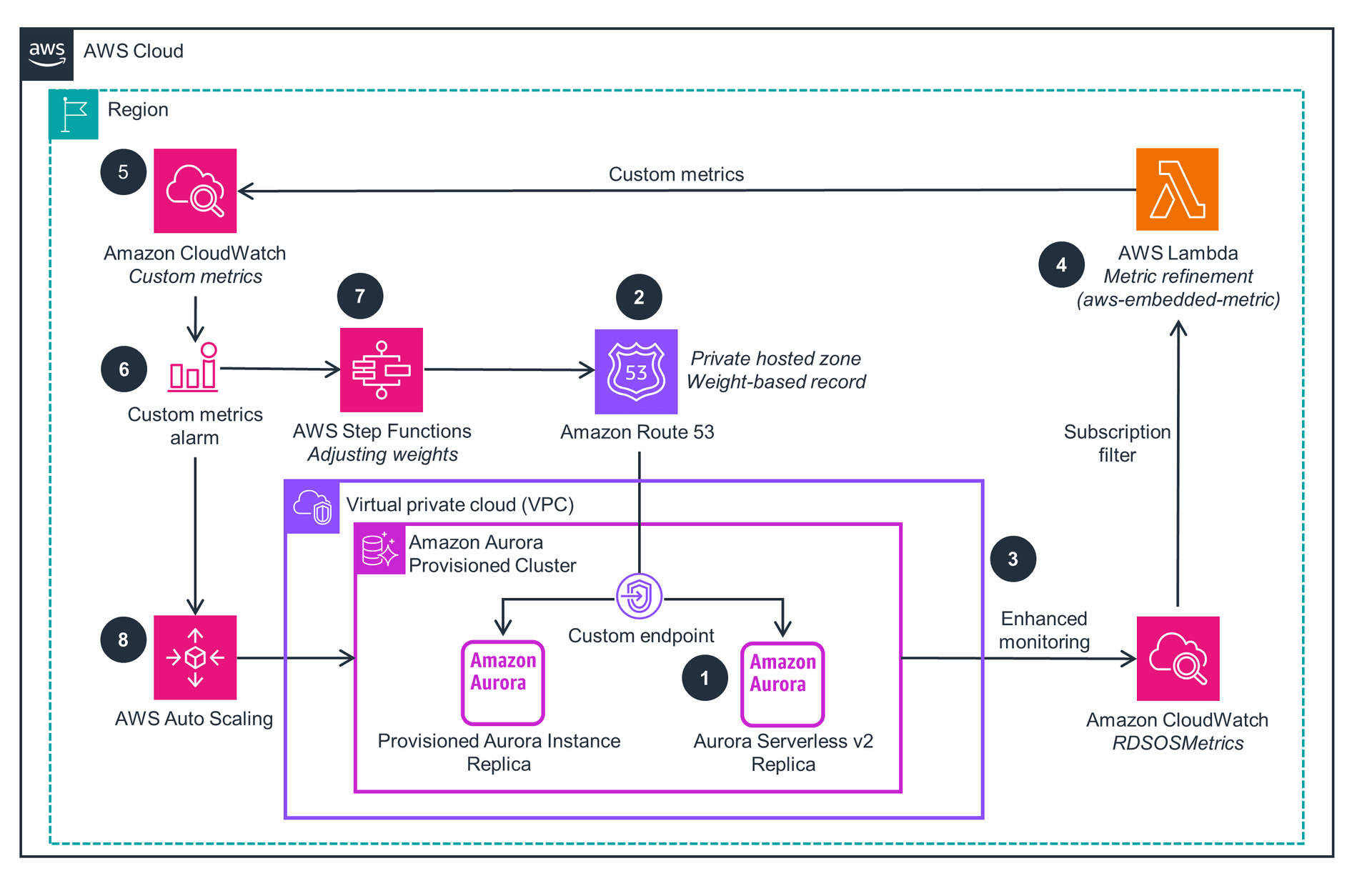
The problem is that many applications aren't designed to handle this sudden traffic increase, leading to:
- Errors on the website
- Application crashes
- Poor user experience
Cloud computing solves this through scaling — one of the main benefits of using the cloud.
Vertical Scaling
Vertical scaling is the traditional approach before cloud computing became popular. The idea is: when traffic increases, you "upgrade" your existing server.
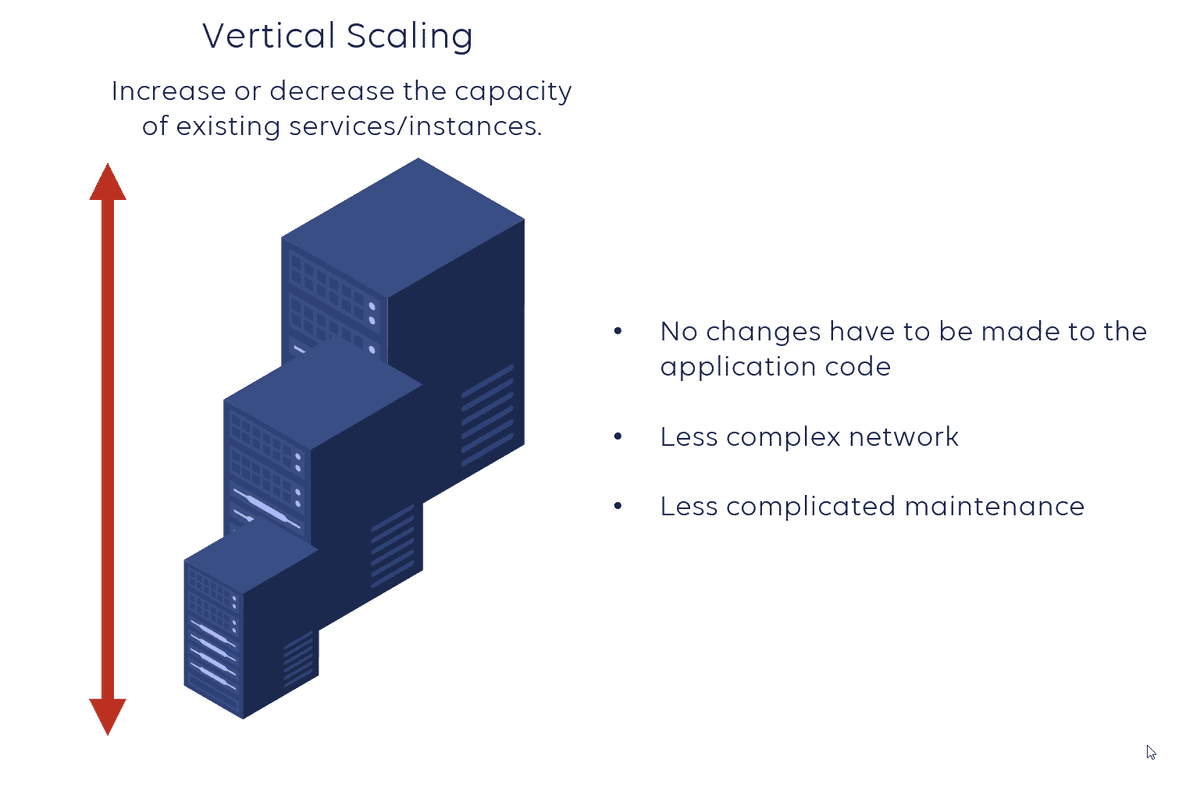
How it works:
- Add CPU, add cores
- Increase RAM
- Increase disk capacity
- Increase network throughput
Disadvantages of Vertical Scaling:
Non-linear cost increase:
- 16GB RAM might cost $100
- 32GB RAM isn't 225
- 64GB RAM might cost $500-600
- → Diminishing returns in terms of cost
Stability issues:
- If this single server fails → entire application goes down
- Single point of failure
Horizontal Scaling
Horizontal scaling uses a completely different model: instead of upgrading one machine, you clone your application across multiple smaller machines.
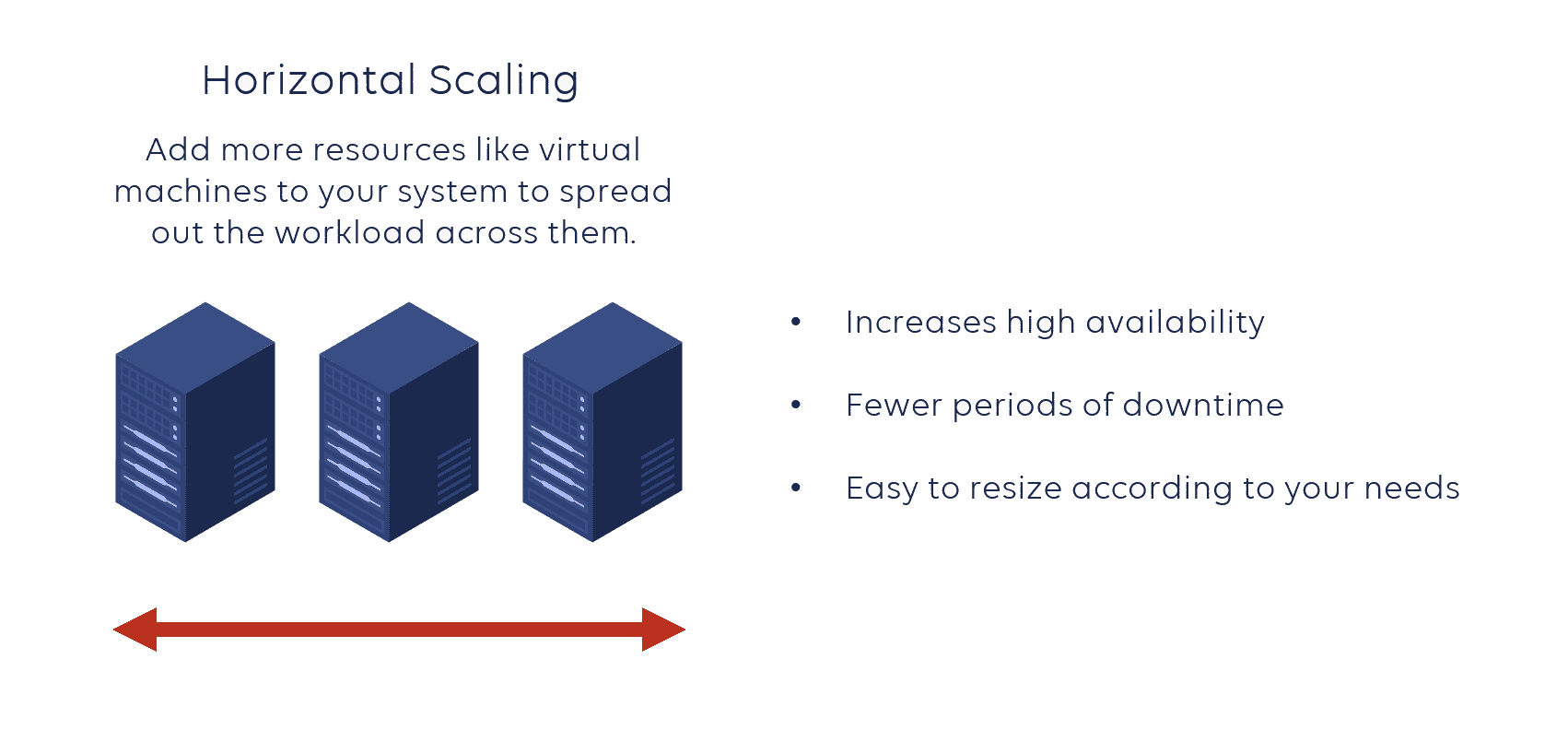
Advantages:
✅ Higher stability: If one machine fails, others continue operating
✅ Lower cost: Multiple small machines are often cheaper than one large machine
- Example: 5 machines with 16GB RAM (5 × 500) is cheaper than 1 machine with 64GB RAM ($600)
✅ Better scalability: Easy to add/remove machines as needed
Horizontal scaling is the most popular approach in modern cloud computing.
2. Load Balancing
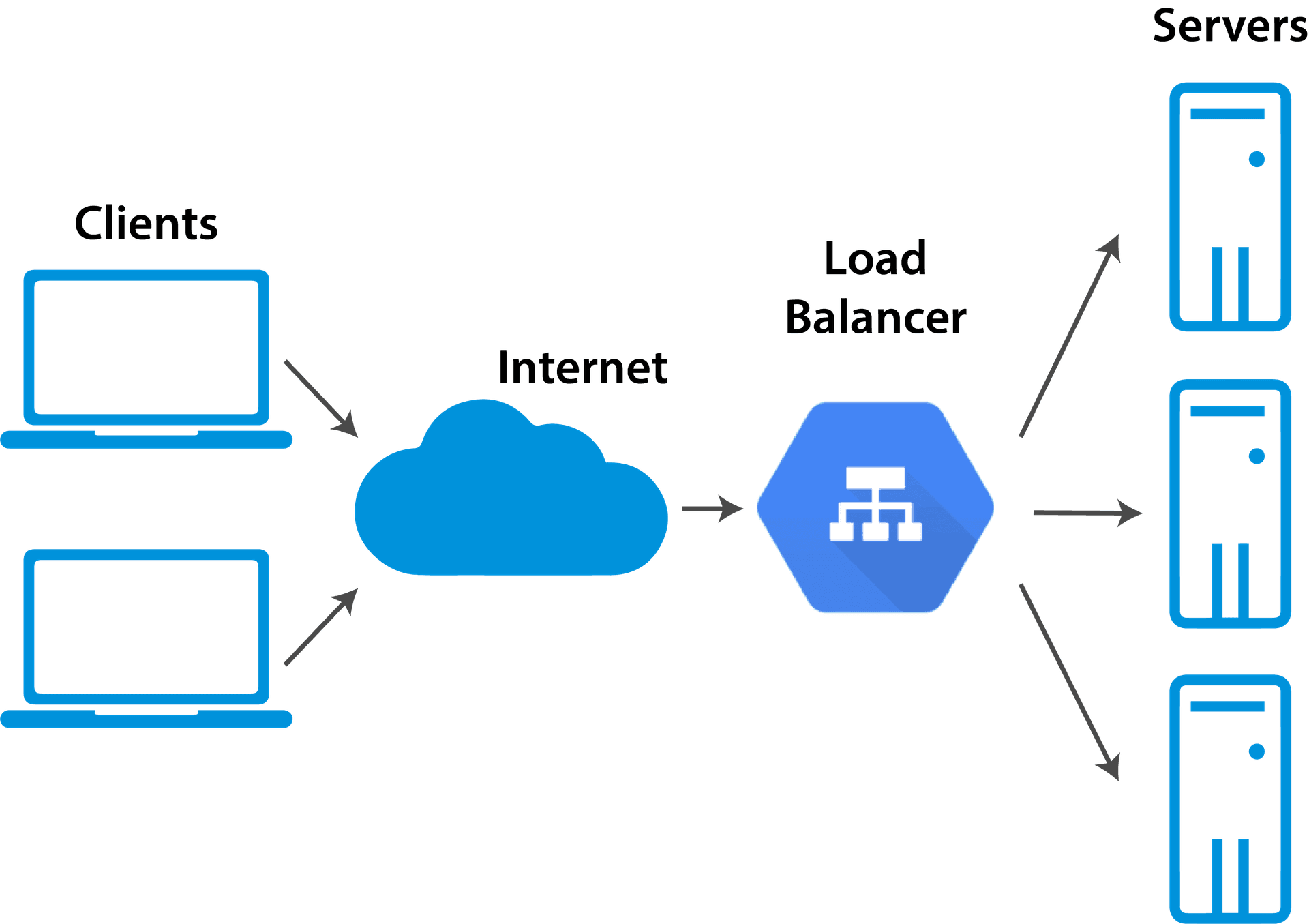
When you have multiple servers (horizontal scaling), the question arises: how do you distribute traffic to these servers?
This is where Load Balancer comes in.
What is a Load Balancer?
A load balancer is an intermediate layer that sits in front of your application servers:
- Has its own DNS or IP address
- Receives all requests from users
- Distributes traffic to available servers
- Monitors server health
Load Balancing Algorithms
1. Round Robin
- Send requests to each server in turn: 1 → 2 → 3 → 1 → 2 → 3...
- Simple, fair
2. Least Connections
- Send request to the server with the fewest connections
- Suitable when requests have different processing times
3. Least Utilization
- Based on resources (CPU, memory)
- Send to server with lowest CPU/memory
- Example: Server 1 (99% CPU) → Server 2 (50% CPU) → Server 3 (20% CPU) → Choose Server 3
4. IP Hash
- Hash client IP to always send to the same server
- Useful for session persistence
Benefits
- High Availability: Automatically removes unhealthy servers
- Scalability: Easy to add new servers
- Performance: Even load distribution, prevents overload
3. Autoscaling
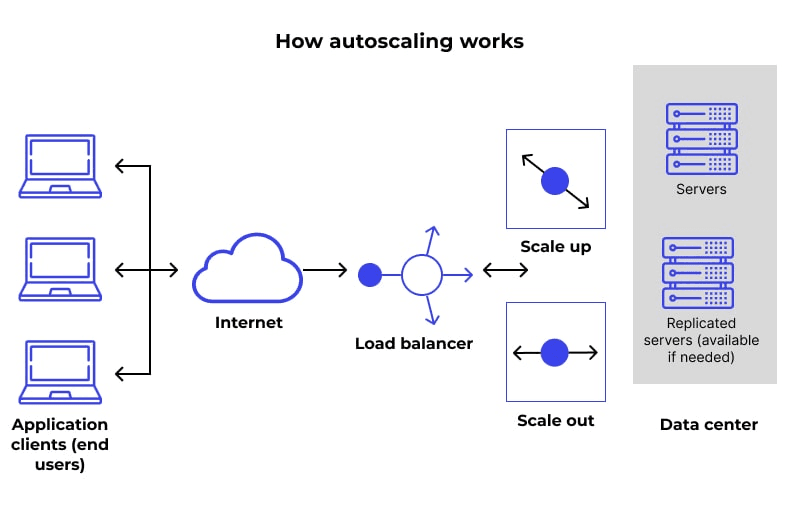
Autoscaling is the most powerful concept in cloud computing — it automatically adds/removes instances based on traffic.
The Problem Autoscaling Solves
Suppose you set 3 initial instances. When traffic spikes:
- ❌ Don't want: To manually monitor and add instances
- ✅ Want: System to automatically add instances when needed
Similarly, when traffic decreases:
- ❌ Don't want: To pay for unused instances
- ✅ Want: Automatically remove excess instances
How It Works
Autoscaling Groups (example in AWS):
- Create a group of instances
- Set metric triggers:
- When connections > X → add instance
- When connections < Y → remove instance
- Or based on CPU utilization, memory, custom metrics
Example Metrics:
- CPU utilization > 70% → scale up
- CPU utilization < 30% → scale down
- Number of requests per second
- Queue depth (for message queues)
Benefits
✅ Cost Optimization: Only pay for resources in use
✅ Automatic Response: Immediate response to traffic spikes
✅ High Availability: Automatically replace failed instances
4. Serverless
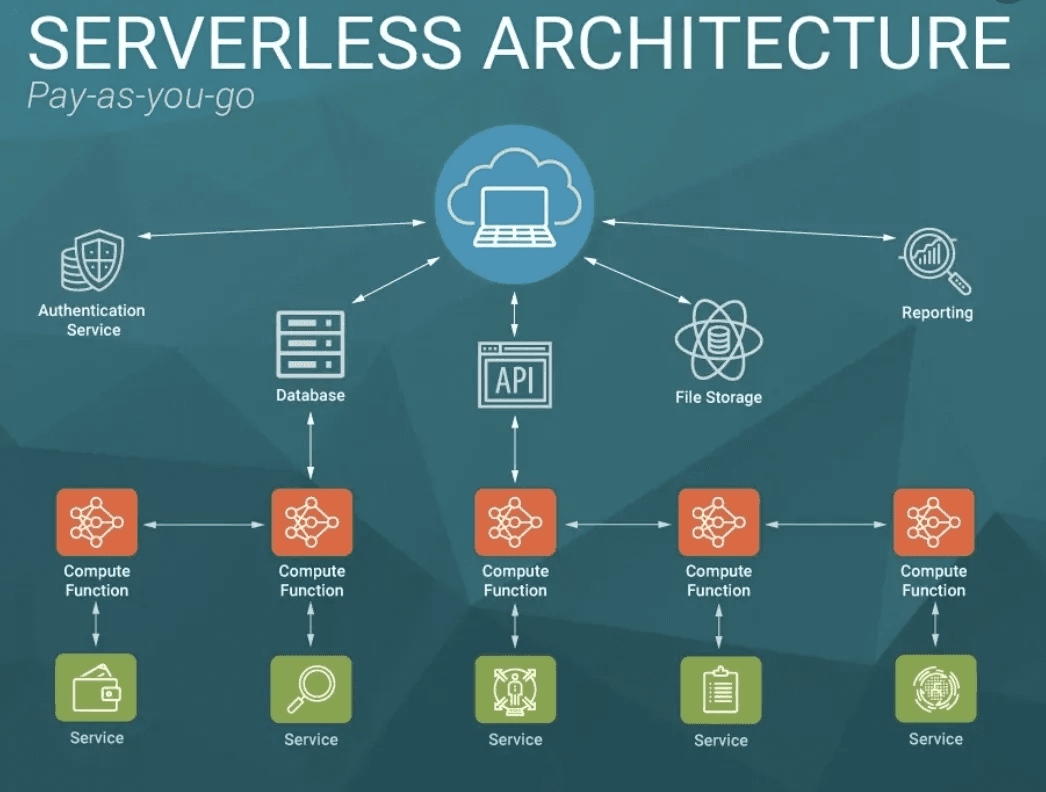
Serverless is a very popular but also controversial concept because its definition has changed over time.
Original Serverless: AWS Lambda
Previous problem:
- To run code on the cloud, you had to:
- Provision EC2 instance
- Setup and configure
- Deploy code
- Maintain security, networking
- Manage instances
→ Very complex and expensive
Lambda solution:
- You just need to write code
- Upload to Lambda function
- Lambda automatically:
- Manages underlying EC2 instances
- Auto-scales up/down
- Distributes traffic
- You don't need to know about infrastructure
Characteristics:
- Pay-per-use: Only pay when code runs
- No server management: No need to manage servers
- Auto-scaling: Automatically scales from 0 to thousands of concurrent executions
"New" Serverless (Controversial)
AWS has expanded the term "serverless" to many other services, for example OpenSearch Serverless:
Problem:
- Still pay for underlying instances
- Not pay-per-execution like Lambda
- Just "managed" not truly "serverless"
Conclusion:
- Lambda, DynamoDB = True serverless (pay-per-use)
- OpenSearch Serverless = Managed service (pay for infrastructure)
- Be careful when hearing "serverless" — it doesn't always mean the same thing
5. Event-Driven Architecture
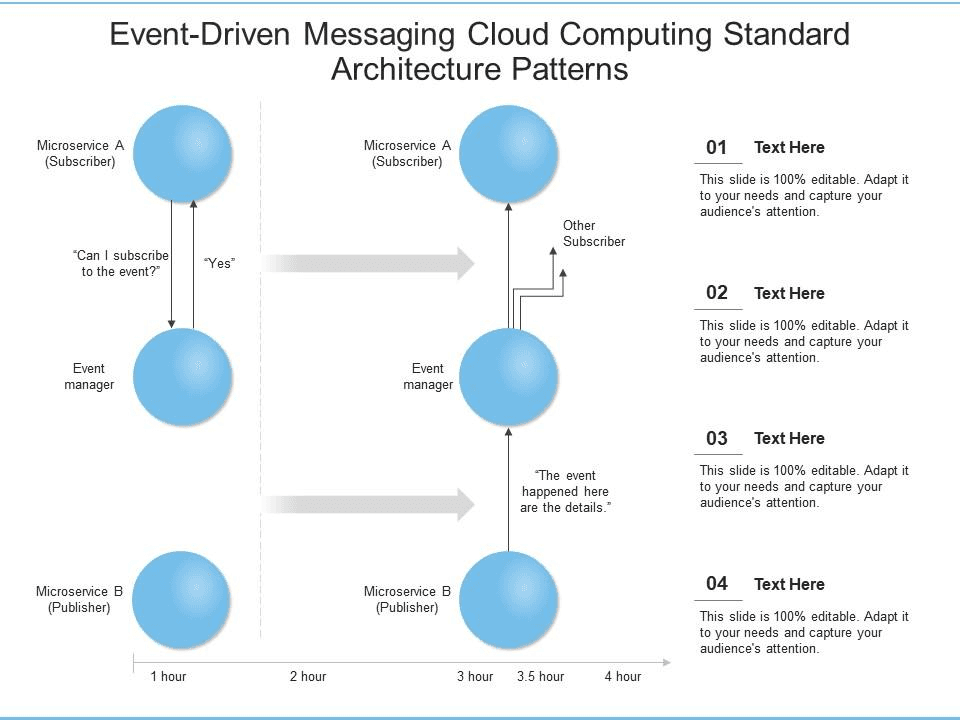
Event-Driven Architecture (EDA) is a powerful paradigm for building distributed, decoupled systems.
Request-Response Model (Old Model)
Example: Amazon Order System
When a customer places an order, the system must:
- Charge customer (call Credit Card Service)
- Call Warehouse Service (FC - Fulfillment Center)
- Call Fraud Detection Service
Problems:
- Tight Coupling: Order service must know about all downstream services
- Hard to add new services (must modify order service)
- If one service is slow → entire flow is blocked
- Hard to scale each service independently
Event-Driven Architecture
How it works:
Publisher (Order Service) sends event to Message Broker
- AWS: SNS (Simple Notification Service) or EventBridge
- Event contains: order ID, customer ID, amount, metadata...
Message Broker distributes event to all Subscribers
- Credit Card Service
- FC Service
- Fraud Detection Service
- Can add N more services
Fan-out Pattern: One event → many consumers
Benefits:
✅ Decoupling: Order service doesn't need to know about downstream services
✅ Scalability: Each service scales independently
✅ Flexibility: Easy to add/remove subscribers
✅ Resilience: If one service fails, other services continue operating
Handling issues:
- What if fraud detection detects fraud after charging and shipping?
- → Send cancellation event for services to rollback
Terminology
- Publisher: Service that creates and sends events (Amazon Order Service)
- Subscriber: Service that receives and processes events (Credit Card, FC, Fraud)
- Pub/Sub: Short for Publisher/Subscriber
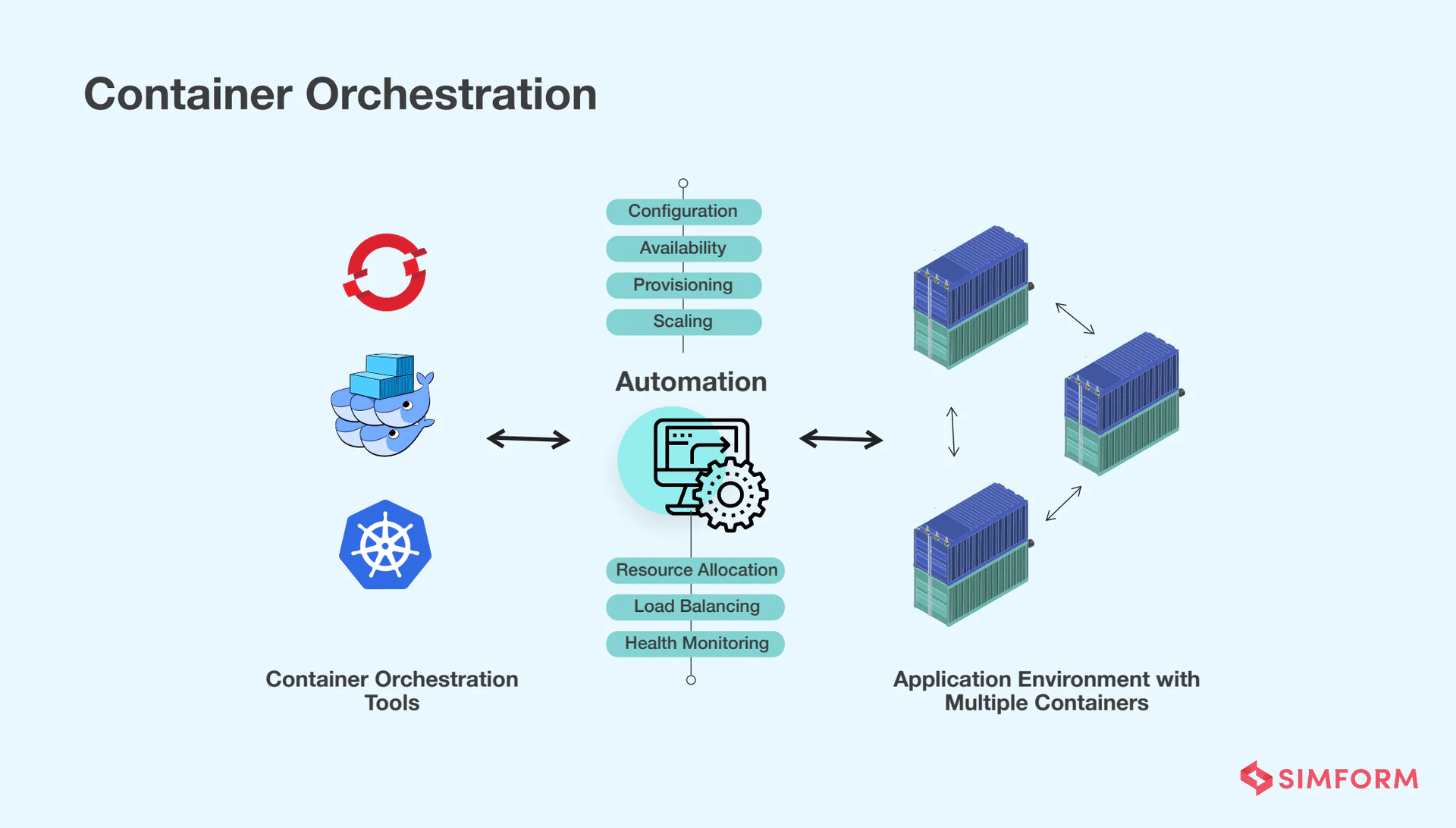
6. Container Orchestration
What is a Container?
A container is an isolated environment containing:
- Your code
- Dependencies
- Configuration
- Runtime environment
Benefits:
- "Works on my machine" → "Works everywhere"
- Portable: runs on local machine, cloud, anywhere
- Consistent environment
The Problem: Managing Containers
Simple approach: Deploy container to EC2 instance
- ❌ If container crashes → must manually restart
- ❌ Hard to monitor and detect issues
- ❌ Complex code deployment
- ❌ Hard to scale
Container Orchestration
Container Orchestration Services (AWS):
- ECS (Elastic Container Service)
- EKS (Elastic Kubernetes Service)
Features:
✅ Auto-deployment: Easily deploy containers to multiple machines
✅ Load Balancing: Automatically provision load balancer
✅ Health Checks: Automatically detect and replace unhealthy containers
✅ Auto-recovery: Container crashes → automatically restart or replace
✅ Scaling: Easily scale number of containers
✅ Monitoring: Built-in monitoring and logging
Use Cases:
- Long-running services (web apps, APIs)
- Batch jobs (one-time processing tasks)
- Microservices architecture
7. Storage
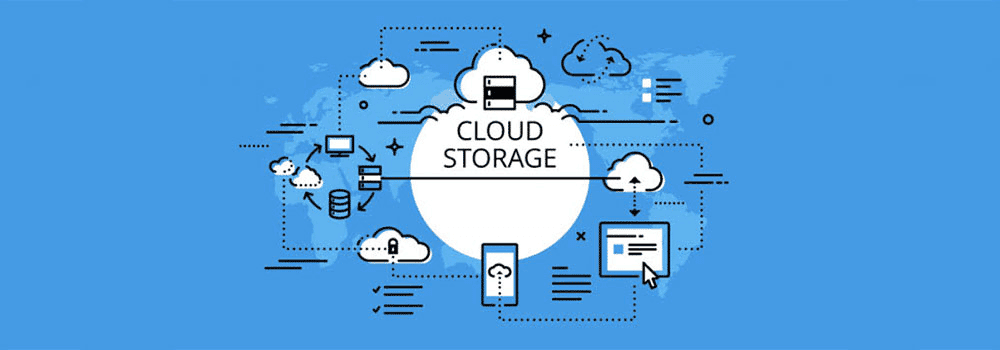
Storage in cloud computing has many different types, each suitable for specific use cases.
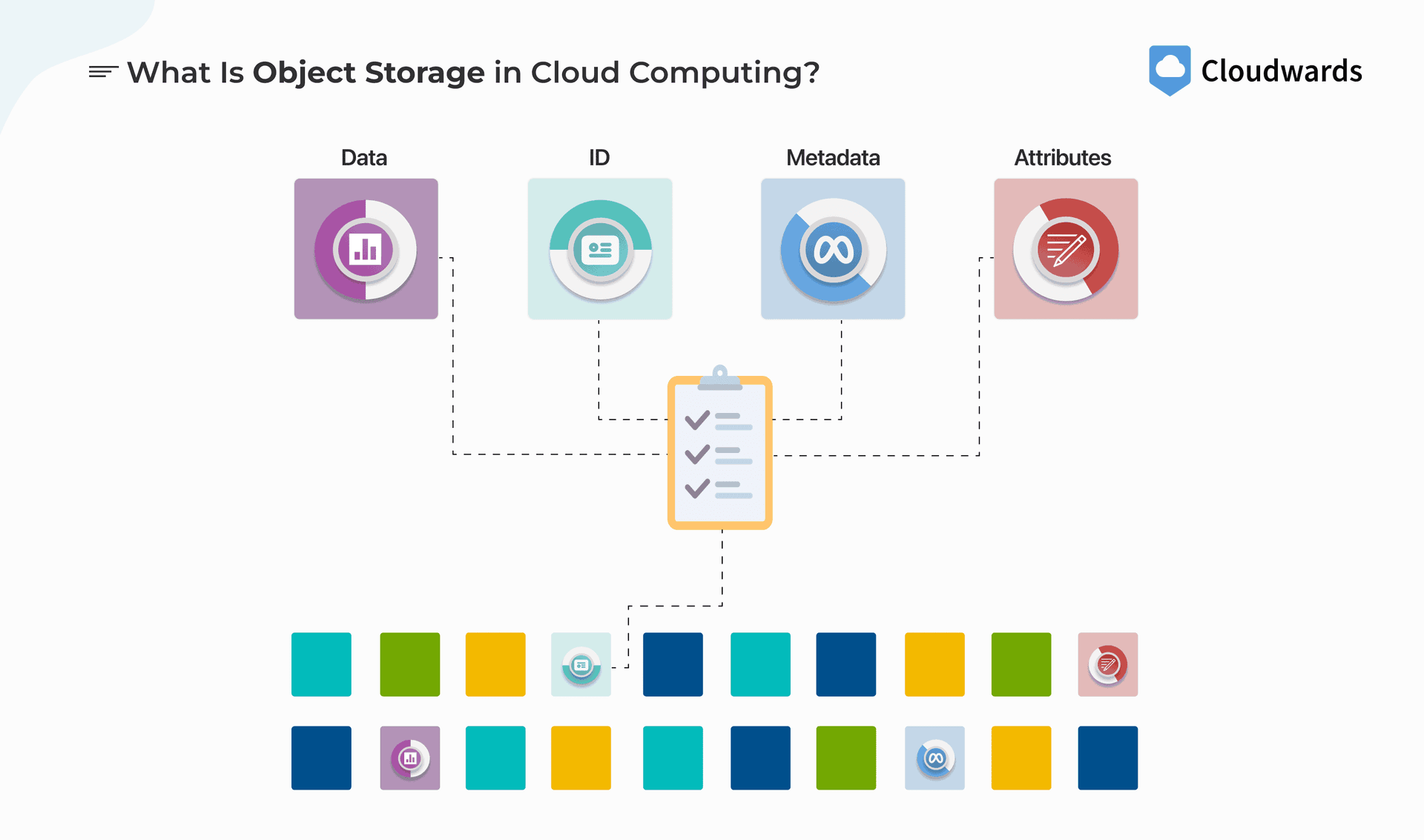
Object Storage
Definition: Store files as objects in a general "dumping ground."
Examples:
- Media files: MP4, audio, video
- JSON objects
- CSV files
- Blobs, binary data
- Images, documents
Characteristics:
- General purpose: Store any type of file
- Accessible: Access from anywhere via API
- Scalable: Auto-scales, no need to manage capacity
Example services:
- AWS S3
- Google Cloud Storage
- Azure Blob Storage
Block Storage
Definition: Volumes (virtual hard drives) that can be attached to instances.
Characteristics:
- Attachable: Can attach/detach from instances
- Shareable: Can share between multiple instances (shared volumes)
- Auto-scaling: Automatically increase/decrease size
- Persistent: Data persists even when instance is deleted
Use Cases:
- Database storage
- Temporary data processing (ML jobs)
- File systems for applications
Example services:
- AWS EBS (Elastic Block Store)
- Google Persistent Disk
Databases
1. Relational Databases (SQL)
- PostgreSQL, MySQL, Microsoft SQL Server, Oracle
- Structured data with relationships
- ACID compliance
- Use case: Transactional data, financial records
2. NoSQL Databases
- Document DB: MongoDB, DynamoDB
- Search: OpenSearch, Elasticsearch
- Graph: Neo4j
- Key-Value: Redis, Memcached
- Use case: Flexible schema, high throughput, horizontal scaling
3. Cache Solutions
- Redis, Memcached
- In-memory storage
- Temporary data, frequently accessed
- Reduces load on database
8. Availability
Availability = Percentage of time the application is running normally.
Availability Metrics
Examples:
- 99.9% = ~526 minutes downtime/year (~8.77 hours)
- 99.99% = ~53 minutes downtime/year
- 99.999% = ~5 minutes downtime/year
Formula:
Downtime = (1 - Availability%) × Total Time
How to Increase Availability
1. Horizontal Scaling + Load Balancing
- Multiple instances → if one instance fails, others continue operating
2. Availability Zones (AZs)
- Availability Zones = Geographically separate data centers
- Can be:
- Separate buildings
- Separate sections in the same building (with separate power, internet lines)
- Deploy instances across multiple AZs → if one AZ fails, others continue operating
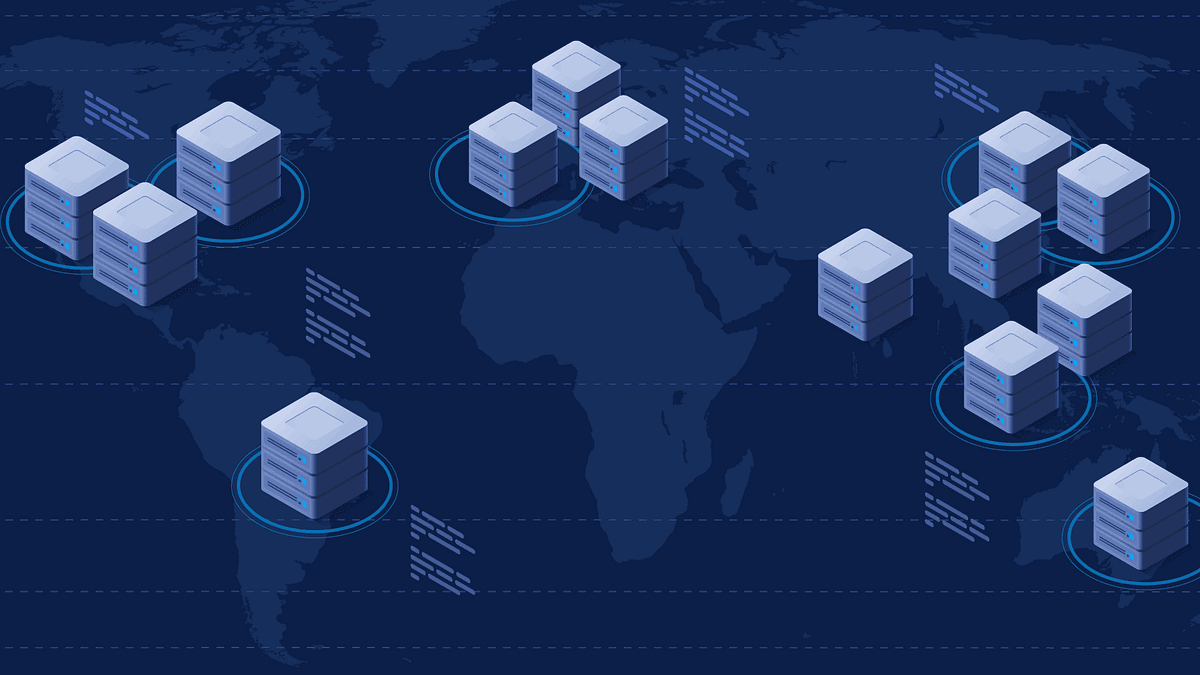
3. Multi-Region Deployment
- Deploy across multiple regions (countries/continents)
- Highest level of availability
- Use case: Global applications
Best Practices
- ✅ Deploy in at least 2 Availability Zones
- ✅ Use load balancer with health checks
- ✅ Auto-scaling to handle traffic spikes
- ✅ Monitoring and alerting
9. Durability
Durability = Ability of data not to be lost when stored in the cloud.
How Cloud Providers Ensure Durability
When you store a file (e.g., MP3) in the cloud:
Multiple Copies: Cloud provider automatically creates multiple copies
- Copy 1, Copy 2, Copy 3...
Geographic Distribution: Copies are stored in:
- Different machines
- Different data centers
- Different countries/regions
Auto-Replication: If one copy is lost (hard drive failure, data center down, disaster), the system automatically creates a new copy
Use Cases
- Disaster Recovery: Recovery after disasters
- Data Backup: Automatic backup
- Compliance: Meet data retention requirements
Example: AWS S3 Durability
- 99.999999999% (11 nines) durability
- Automatically replicates data across multiple AZs
- Versioning to recover from accidental deletion
10. Infrastructure as Code (IaC)
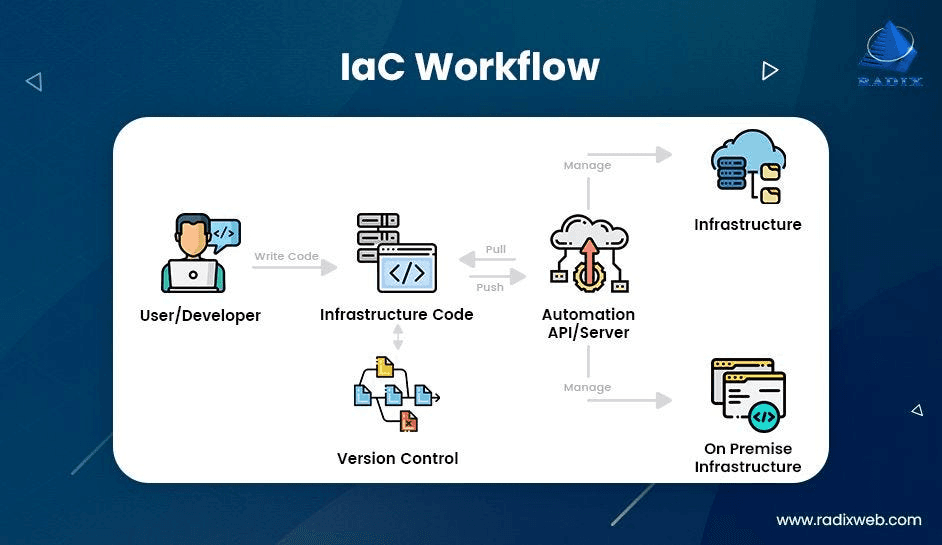
Infrastructure as Code (IaC) = Define infrastructure using code instead of manual operations through console.
Problems with Manual Configuration
Old way: Create database via AWS Console
- Login to console
- Click "Create Table"
- Fill in settings
- Add monitors
- Add data
- Modify config later...
Problems:
- ❌ Error-prone: Fat finger, accidentally click delete → production down
- ❌ Hard to replicate: Recreating identical setup in new region is time-consuming
- ❌ No version control: Don't know who changed what, when
- ❌ Hard to review: No code review process
Infrastructure as Code
Solution: Write code to define infrastructure
Workflow:
- Write code (template/configuration)
- Commit to Git
- Code review
- Deploy → Cloud provider reads code and creates infrastructure
Benefits:
✅ Version Control: Track changes, easy rollback
✅ Reproducibility: Deploy identically in any region
✅ Code Review: Team reviews before deployment
✅ Fewer Errors: Less errors than manual
✅ Documentation: Code is the documentation
IaC Tools
1. AWS CloudFormation (CF)
- Declarative template language (YAML/JSON)
- Define "what you want" → AWS creates it
2. AWS CDK (Cloud Development Kit)
- Imperative: Programming language (TypeScript, Python, Java...)
- Can use loops, if statements, conditions
- Example: "If production → use large instances, if dev → use small instances"
3. Terraform
- Multi-cloud: Supports AWS, GCP, Azure with one tool
- Popular choice for multi-cloud deployments
- HCL (HashiCorp Configuration Language)
Recommendation:
- If only using AWS → CDK (powerful, flexible)
- If multi-cloud → Terraform
11. Cloud Networks
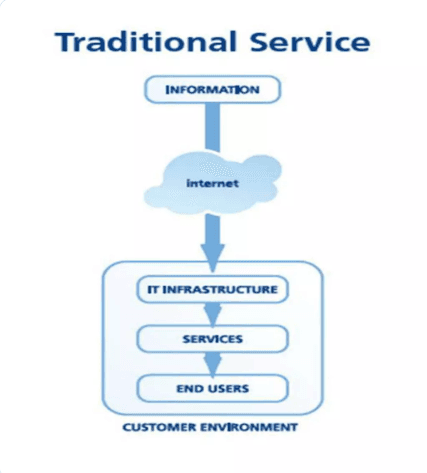
Cloud Networks allow you to isolate your resources from other customers on the same cloud provider.
Traditional Network
On-premise Data Center:
- Server room in building
- Subnets:
- Public subnet: Instances can receive traffic from internet
- Private subnet: Databases, sensitive data (cannot be accessed from internet)
- Security groups: Rules about communication between instances
Cloud Networks
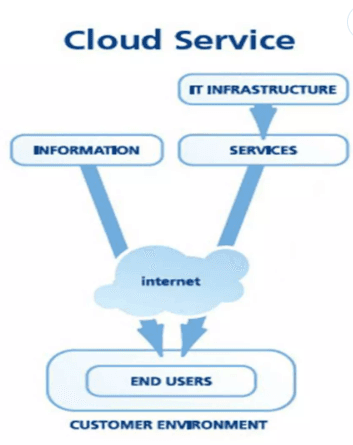
Problem: In the cloud, multiple customers share the same AWS/GCP/Azure infrastructure.
Solution: Cloud Networks (VPC - Virtual Private Cloud)
How it works:
- Each customer has their own isolated network
- By default: Cannot communicate with each other
- Can configure rules to:
- Allow communication between networks (if needed)
- Allow inbound/outbound traffic from internet
- Define private resources in network
Benefits:
✅ Isolation: Your resources are separated from other customers
✅ Security: Additional layer of security
✅ Flexibility: Can connect networks if needed (business relationship)
✅ Private Resources: Can have private resources in network
Example:
- You have a VPC with web servers (public) and databases (private)
- Databases only accessible from web servers in the same VPC
- Cannot access from internet or other customers' VPCs
Summary
11 essential cloud computing concepts:
- Scaling: Vertical vs Horizontal
- Load Balancing: Traffic distribution
- Autoscaling: Automatic scaling based on traffic
- Serverless: Code without server management
- Event-Driven Architecture: Decoupled, scalable systems
- Container Orchestration: Automatic container management
- Storage: Object, Block, Database
- Availability: Uptime and resilience
- Durability: Data won't be lost
- Infrastructure as Code: Define infrastructure with code
- Cloud Networks: Isolated, secure networks
Tips
- Start with fundamentals: Understand scaling, load balancing first
- Practice: Create AWS/GCP free tier account and experiment
- Read documentation: Each cloud provider has detailed documentation
- Watch case studies: Learn from how large companies use cloud
Learning Resources
- AWS Well-Architected Framework: Best practices
- Cloud provider documentation: AWS, GCP, Azure
- YouTube channels:
- AWS Official
- Google Cloud Tech
- ByteByteGo (system design)
TIP
Cloud computing is a vast field. Don't try to learn everything at once. Start with the fundamental concepts and gradually expand your knowledge.
Happy learning! 🚀